안녕하세요, 주-주스 입니다! 🍹
!!!³✺!~ 캠프 47일차 ~!✺!!!
ꉂꉂ(⌯˃̶᷄ ꈊ˂̶᷄⌯)
오늘은
HTML 의 기본 문법과 주요 요소에 대해서 알아보고, VS 코드에서 실습에 에 대하여 포스팅하겠습니다!
UXUI 아카이빙 모음
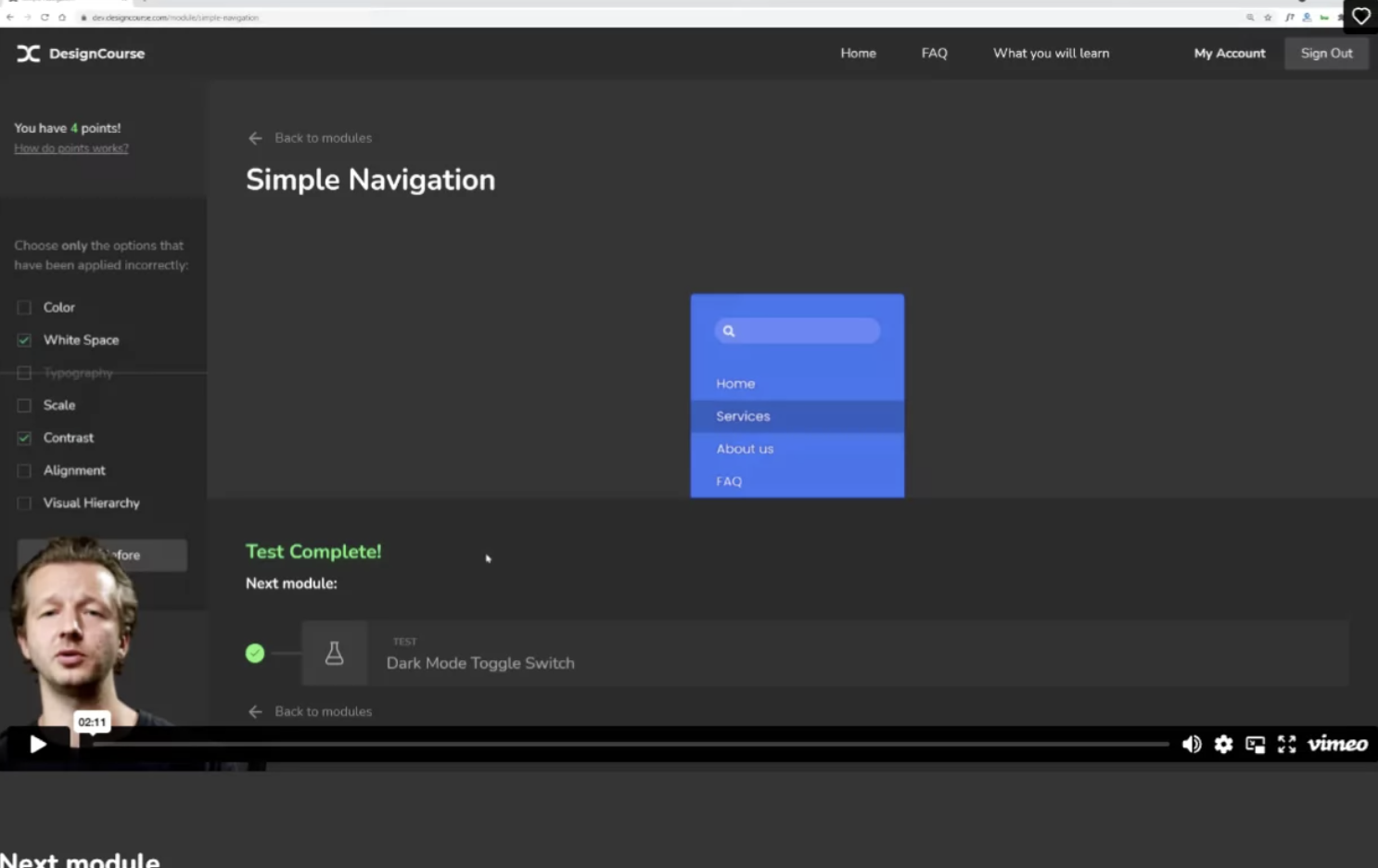
Learn UI/UX Design at DesignCourse
Introducing your Teacher, Gary Simon Gary has over 20 years experience as a UI/UX Designer & Frontend Developer. After enjoying a freelance career that lasted over a decade, Gary’s content has reached millions of people and helped countless individuals e
designcourse.com

https://betterwebtype.com/web-typography-quiz/
Web Typography Quiz
Web typography for web designers and web developers.
betterwebtype.com

https://avark.agency/designers-eye/
It's Centred That | Test Your Inner Designer Eye
Do you think you've got a designer's eye? Test your skills and judge whether the dots are really in the middle of the shapes. Will you get them all right?
avark.agency

https://cake-soft-41607224.figma.site/
webpoetry
cake-soft-41607224.figma.site
Studio.Stock | クリエイターのための次世代フォトストック
Professional stock photo management and organization platform
stock.studio.design
39,100+ animated icons - Lordicon
Lordicons work seamlessly with your project, responding to a range of interactions – whether in, hover, morph, loop, or more.
lordicon.com
(움직이는 아이콘)
https://www.charco.design/outre-quirky-icons
Outre | Charco Design
Outre is a collection of playful & quirky free icons with generic categories that works best for web & app projects.
www.charco.design
MiksKS
Digital tools and resources for designers & illustrators
miksks.com
(중세느낌)
Sleek
AI-powered mobile app mockup generator. Turn your ideas into beautiful app designs in minutes without hiring a designer.
sleek.design
(프롬포트)
디자이너를 위한 개발 지식
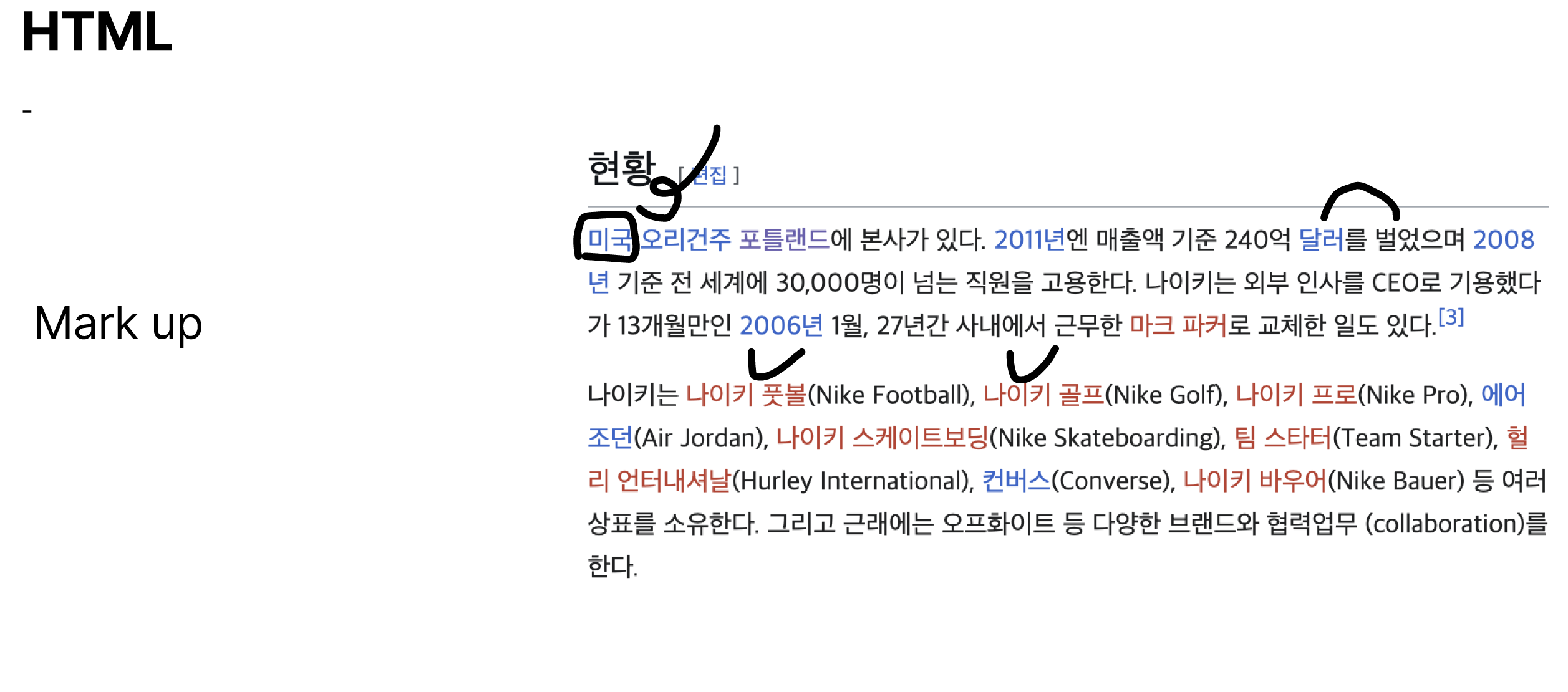
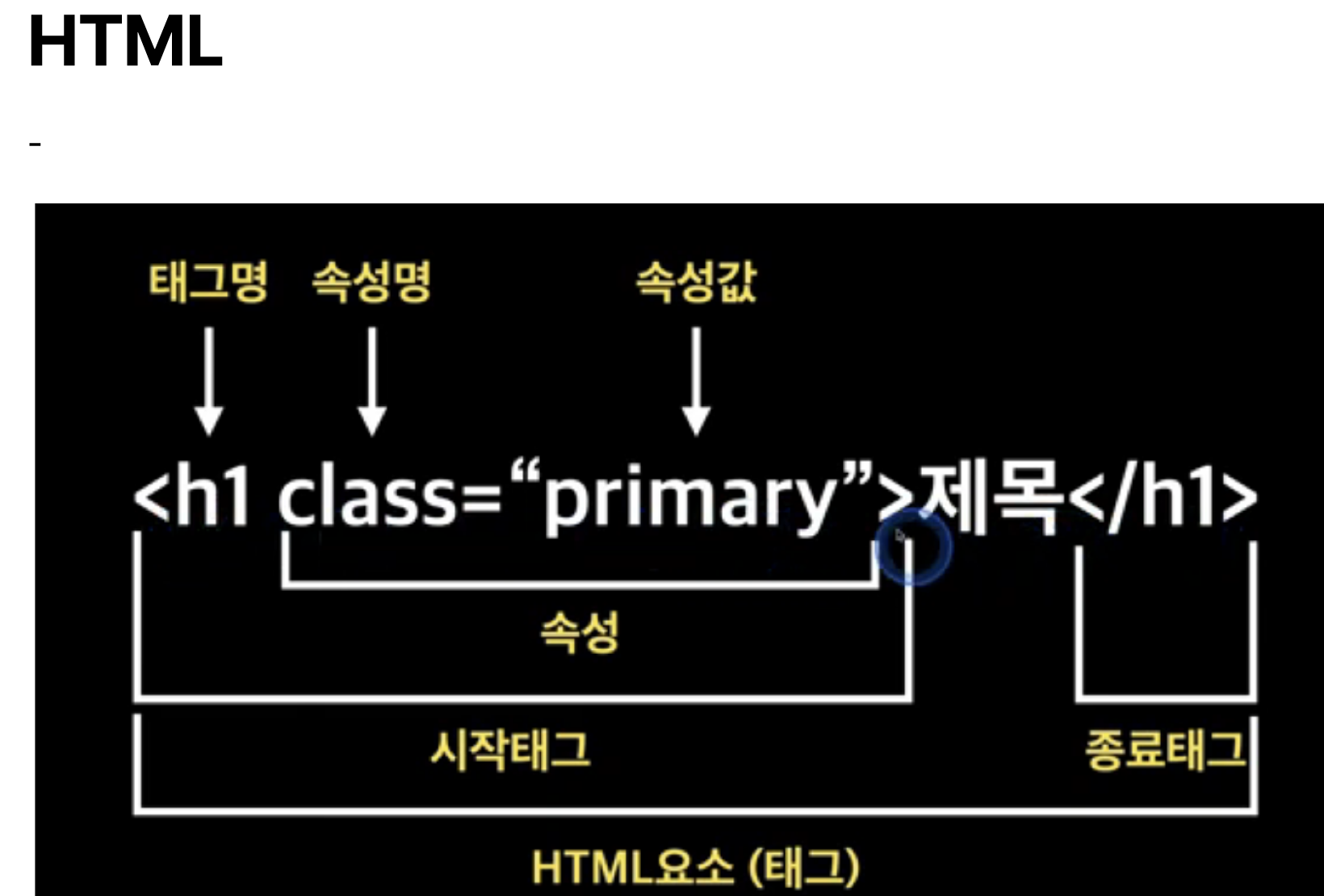
HTML
Hyper Text Markup Language


| 태그 | 의미 (용도) | 설명 / 특징 |
| <h1>~<h6> | Heading (제목) |
웹 페이지의 제목 또는 부제목을 표현할 때 사용합니다. 숫자가 작을수록 큰 제목을 표시합니다.
|
| <p> | Paragraph (문단) |
하나의 문단을 표시할 때 사용합니다.
|
| <hr> | Horizontal Rule (가로줄) |
가로 선을 긋는 태그입니다. (종료 태그 없음)
|
| <br> | Break (줄 바꿈) |
줄 바꿈 태그로 HTML에서 개행 역할을 합니다. (종료 태그 없음)
|
| <b> | Bold (굵게 표시) |
텍스트를 단순히 굵게 표시할 때 사용합니다. 시각적인 표현만을 담당합니다.
|
| <i> | Italic (이탤릭체 표시) |
텍스트를 단순히 이탤릭체로 표시할 때 사용합니다. 시각적인 표현만을 담당합니다.
|
| <strong> | Strong (강하게 강조) |
텍스트를 강하게 강조할 때 사용합니다. 실제 페이지 내의 중요한 부분임을 나타내며, 스크린 리더가 해당 부분에 억양을 넣어 읽을 수 있도록 의미를 부여합니다.
|
| <em> | Emphasis (강조) |
텍스트를 이탤릭체로 강조할 때 사용합니다. 실제 페이지 내의 중요한 부분임을 나타내며, <i>보다 의미론적인 강조를 나타냅니다.
|
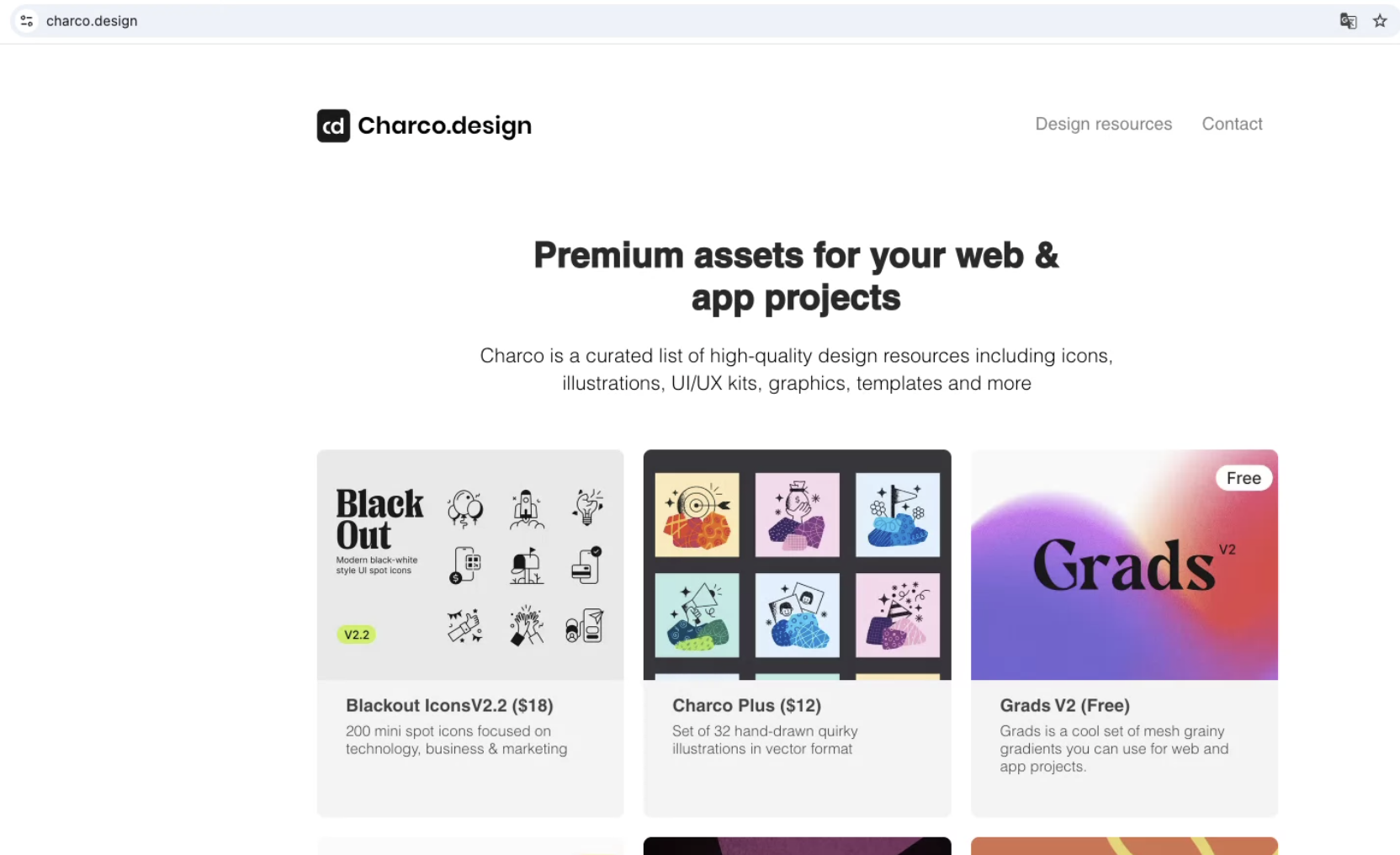
Charco Design | Free & premium icons, illustrations & UI/UX kits
Charco is a curated list of high-quality design resources including free and premium icons, illustrations, UI/UX kits, graphics, templates, and more.
www.charco.design
(최신 트렌드(
오늘의 실습 !
⭐️[과제 01]
두가지 기사 내용읽고 정리해보기
https://adobe.design/stories/leading-design/creativity-is-human?ref=uxdesignweekly
Creativity is human
Thoughts on the future of work in the age of AI
adobe.design
https://www.nngroup.com/articles/good-visual-design/?ref=uxdesignweekly
Good Visual Design, Explained
To create appealing designs, align type and elements to a grid, build a clear visual hierarchy, use color intentionally, and stay consistent with every design choice.
www.nngroup.com

⭐️[과제 02]
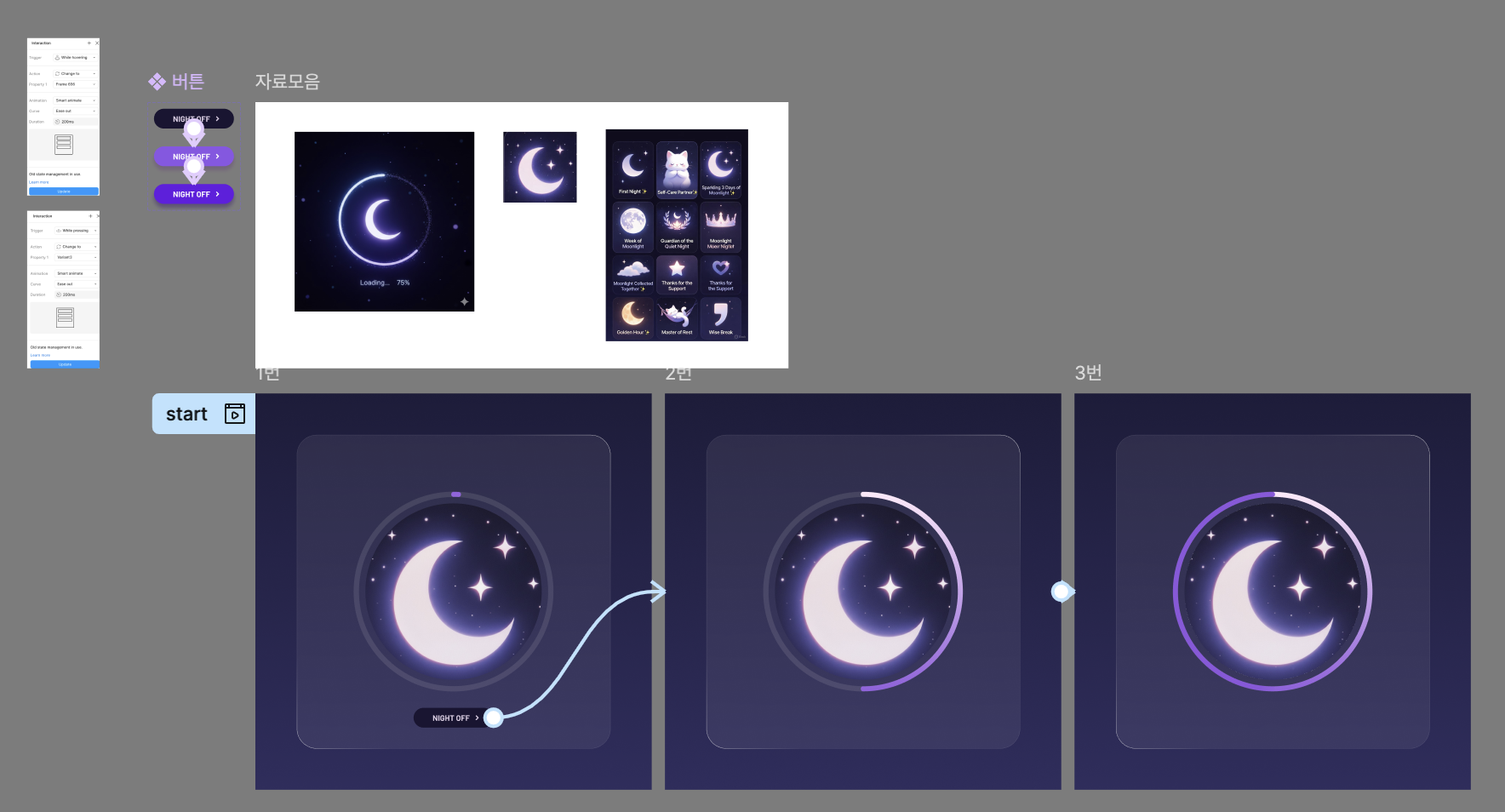
진행 정도(Progress) UI디자인
- 무엇이 ‘진행 중’인지, 그리고 그것이 어떻게 작동하는지 설명하세요.
- 예를 들어, 영화의 남은 시간을 보여주는 진행 바(progress bar) 일 수도 있고, 책을 읽었을 때 얼마나 읽었는지 계산하는 기능일 수도 있습니다.
- 원하는 어떤 방식이든 상관없습니다.

⭐️[과제 03]
HTML 태그 복습~❣
| 태그 | 역할 | 설명 |
| <html> | HTML 문서의 최상위 요소 | 전체 HTML 문서를 감싸는 태그입니다. |
| <head> | HTML 문서의 메타데이터 컨테이너 | 웹 브라우저에는 표시되지 않는 문서 정보를 담고 있습니다. |
| <meta> | 문서에 대한 메타 정보 정의 | 문자 인코딩(charset="UTF-8")이나 뷰포트 설정 등 문서 자체의 정보를 설정합니다. (종료 태그 없음) |
| <title> | 문서 제목 | 브라우저 탭에 표시되는 웹 페이지의 제목을 정의합니다. |
| <style> | CSS 스타일 정의 | HTML 문서에 CSS 코드를 포함시켜 테이블 등의 요소 디자인을 정의합니다. |
| <body> | 문서 내용 컨테이너 | 웹 브라우저에 실제로 표시되는 모든 콘텐츠(텍스트, 이미지, 테이블 등)를 담는 영역입니다. |
| <h1> | 가장 중요한 제목 (Heading 1) | 문서에서 가장 중요한 제목을 정의합니다. |
| <table> | 표 (테이블) 정의 | 데이터 행과 열로 이루어진 테이블 전체를 정의합니다. |
| <tr> | 테이블 행 (Table Row) | 테이블 내에서 하나의 가로 줄 (행)을 정의합니다. |
| <th> | 테이블 헤더 셀 (Table Header) | 테이블 행 내에서 열의 제목을 정의합니다. 기본적으로 글자가 굵게 표시되고 가운데 정렬됩니다. |
| <td> | 테이블 데이터 셀 (Table Data) | 테이블 행 내에서 실제 데이터가 들어가는 셀을 정의합니다. |
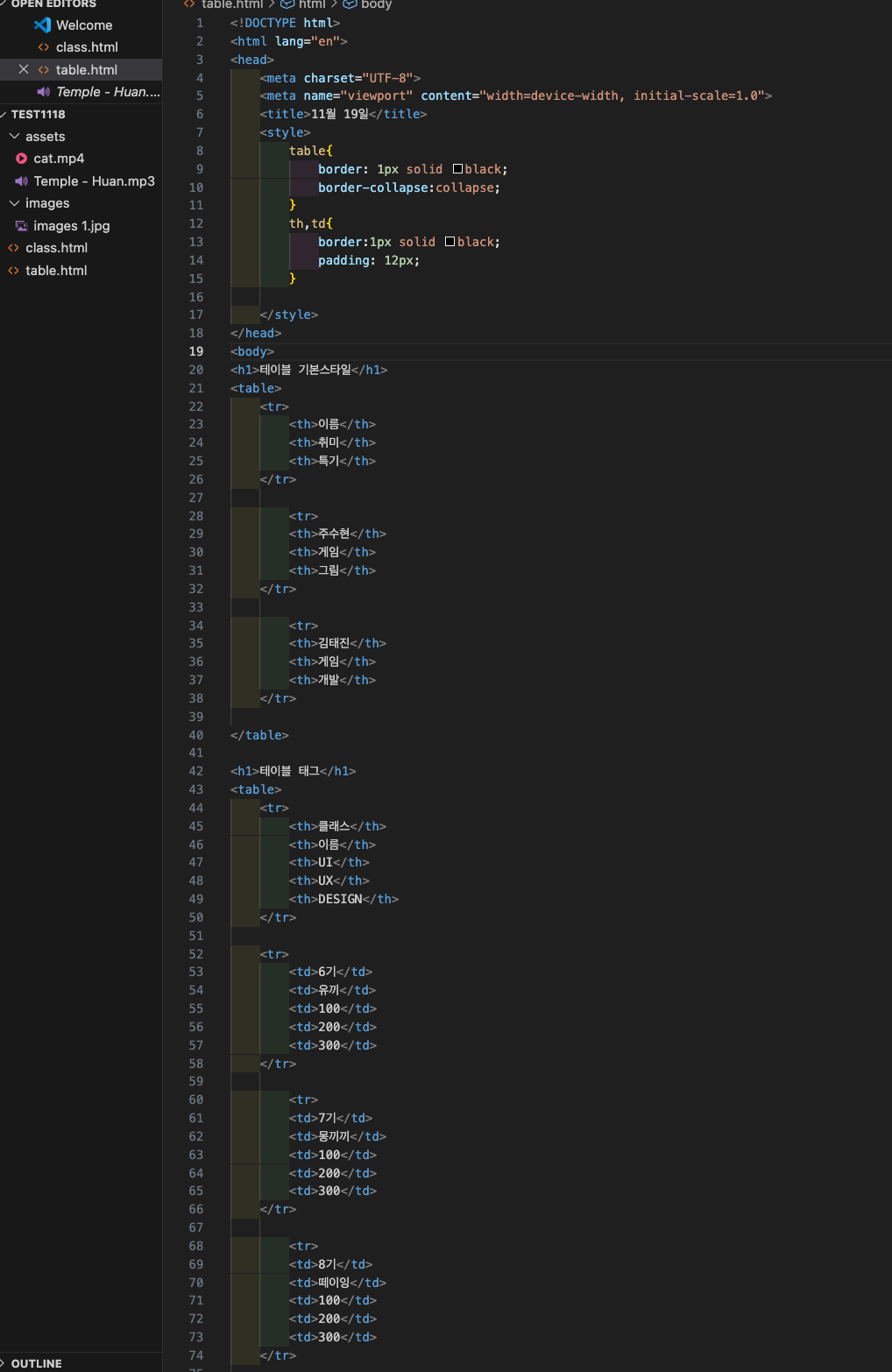
<!DOCTYPE html>
<html lang="en">
<head>
<meta charset="UTF-8">
<meta name="viewport" content="width=device-width, initial-scale=1.0">
<title>11월 19일</title>
<style>
table{
border: 1px solid black;
border-collapse:collapse;
}
th,td{
border:1px solid black;
padding: 12px;
}
</style>
</head>
<body>
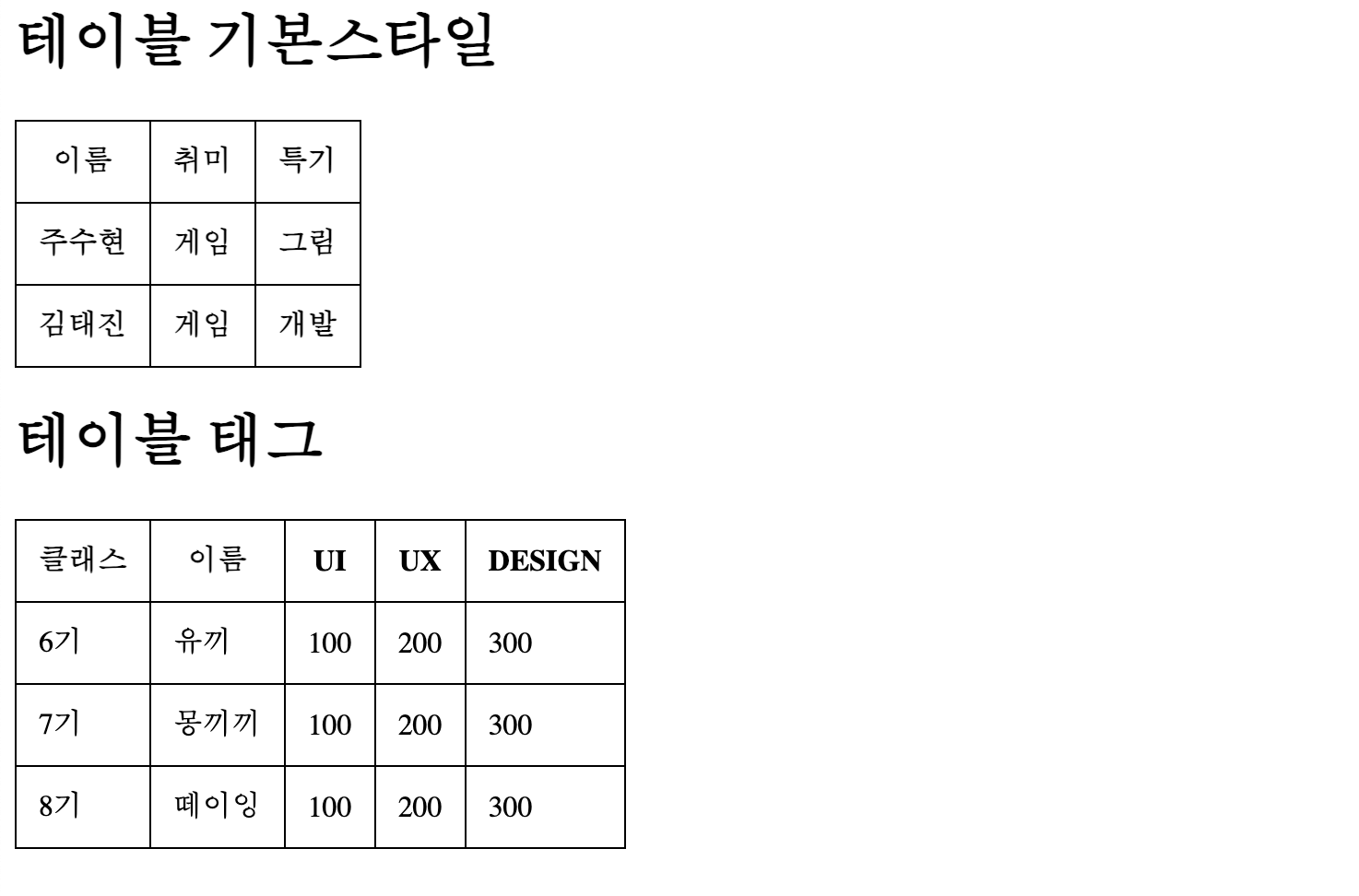
<h1>테이블 기본스타일</h1>
<table>
<tr>
<th>이름</th>
<th>취미</th>
<th>특기</th>
</tr>
<tr>
<th>주수현</th>
<th>게임</th>
<th>그림</th>
</tr>
<tr>
<th>김태진</th>
<th>게임</th>
<th>개발</th>
</tr>
</table>
<h1>테이블 태그</h1>
<table>
<tr>
<th>클래스</th>
<th>이름</th>
<th>UI</th>
<th>UX</th>
<th>DESIGN</th>
</tr>
<tr>
<td>6기</td>
<td>유끼</td>
<td>100</td>
<td>200</td>
<td>300</td>
</tr>
<tr>
<td>7기</td>
<td>몽끼끼</td>
<td>100</td>
<td>200</td>
<td>300</td>
</tr>
<tr>
<td>8기</td>
<td>떼이잉</td>
<td>100</td>
<td>200</td>
<td>300</td>
</tr>
</table>
</body>
</html>
[47일차 소감🥁]
- 어느덧 4일밖에 남지 않은 강의 앞에서 열심히 그리고 재미있게 듣고 아카이빙 웹사이트도 다 둘러봤습니다! 디자이너 눈을 가지기위해 여러 가지 디자인 관련 게임을 하니 재밌었습니다 ㅎㅎ 컨디션 관리를 잘 해야 한다고 생각하며.. 내일 심화반 포폴을 위해 오늘도 달려보겠습니닷! 내일도 파이팅파이팅!!
= 오늘의 한 마디 =
- 오늘 정하는 단 하나의 결정으로 인해 삶이 바뀔 것이닷! (과연!)
'프로덕트 디자이너 6기' 카테고리의 다른 글
| DAY+49 [CSS, {Inline / Internal /External }Style Sheet ] (0) | 2025.11.21 |
|---|---|
| DAY+48 [목록 태그, 시멘틱 태그, 폼 태그] (0) | 2025.11.20 |
| DAY+46 [ HTML & CSS ] (0) | 2025.11.18 |
| DAY+45 [ AI와 함께 디자인 프로세스 과정] (0) | 2025.11.17 |
| DAY+44 [ 더블 다이아몬드, Khizer Abbas 프롬포트 ] (1) | 2025.11.13 |


